
 New alphabet
An app and a bot that convert text to the new Uzbek alphabet
On 21 October 2026 Uzbekistan signed the law on improving the Latin-based Uzbek alphabet: o‘, g‘, sh and ch are now written as Ö, Ğ, Ş and Ç. The “Yangi alifbo” app and Telegram bot convert text from the old Latin or Cyrillic script to the new alphabet in a second — no manual fixing.
What changes
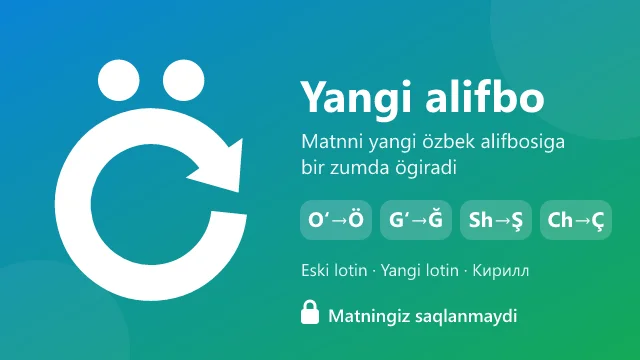
- O‘ o‘:Ö ö
- G‘ g‘:Ğ ğ
- Sh sh:Ş ş
- Ch ch:Ç ç
O‘zbekiston — go‘zal shaharlar va chiroyli bog‘lar yurti
Özbekiston — gözal şaharlar va çiroyli boğlar yurti
Desktop app (Windows)
- Type in any program and words switch to the new alphabet on their own: Word, Excel, Telegram, your browser.
- If a word changed the wrong way, press Backspace right away and it goes back.
- Select finished text or press Ctrl+Shift+Y to convert it to new Latin, old Latin or Cyrillic.
- Stays off in password fields and leaves links, @usernames and #hashtags alone.
- One-click install; updates arrive inside the app.
3 days free, then a one-time payment of 10,000 UZS per computer — no subscription.
Telegram bot — free
- Send text and get it back in the new alphabet. Converts between old Latin, new Latin and Cyrillic.
- Converts files too: Word (.docx, .doc), .txt, PDF and photos. Word formatting is kept.
- Works in groups and inline: type @YangiAlifboUzBot in any chat.
- Your text is never stored.
How to start
- 1Click “Download for Windows” and open the file — the app installs itself.
- 2Click “Yoqish” (Turn on) in the app and it keeps running in the background.
- 3Type as usual: o‘, g‘, sh and ch turn into Ö, Ğ, Ş and Ç when you finish a word.
If Windows shows a SmartScreen warning, click “More info” → “Run anyway”.
Questions and answers
Which letters changed in the new Uzbek alphabet?
O‘ becomes Ö, G‘ becomes Ğ, Sh becomes Ş and Ch becomes Ç. All other letters stay the same. For example, “O‘zbekiston” → “Özbekiston”, “shahar” → “şahar”.
How do I convert old Latin text to the new alphabet?
The quickest way is to send the text or file to @YangiAlifboUzBot on Telegram. If you type a lot on a computer, install the “Yangi alifbo” app: it switches words as you type.
Does it convert Cyrillic?
Yes. Both the bot and the app convert in every direction between Cyrillic, old Latin and new Latin.
Is the app paid?
The Telegram bot is free. The Windows app is free for 3 days on each computer, then a one-time payment of 10,000 UZS, no subscription.
Is my text stored?
No. Neither the bot nor the app stores your text anywhere.
Which programs does it work in?
Almost every program on Windows 10 and 11: Word, Excel, Telegram Desktop and browsers. In Windows 11 Notepad only converting selected text works.
Is there a Mac or phone version?
For now the app is Windows only. On a phone or a Mac, use the Telegram bot.
Questions and ideas — in the comments of our channel: t.me/yangi_alifbo_uz